 PermitNav
From permit to navigation in a few minutes.
Add the permit your state issued, review the route PermitNav rebuilds from it, then drive it turn by turn.
-
Exit 1
Add your permit
Photograph it, scan the pages with the camera, or upload the PDF straight from your state's permit email.
Half a permit? PermitNav asks for the missing pages, and a state PermitNav doesn't read yet is named, with a one-tap “Tell me when your state is supported”.
It reads New York, Pennsylvania, Kentucky, Tennessee, Missouri, Texas, Maryland, Ohio, Indiana, Oklahoma and Illinois permits today. Which state is next? Send its permits and see how close it is.
-
Exit 2
Review the route
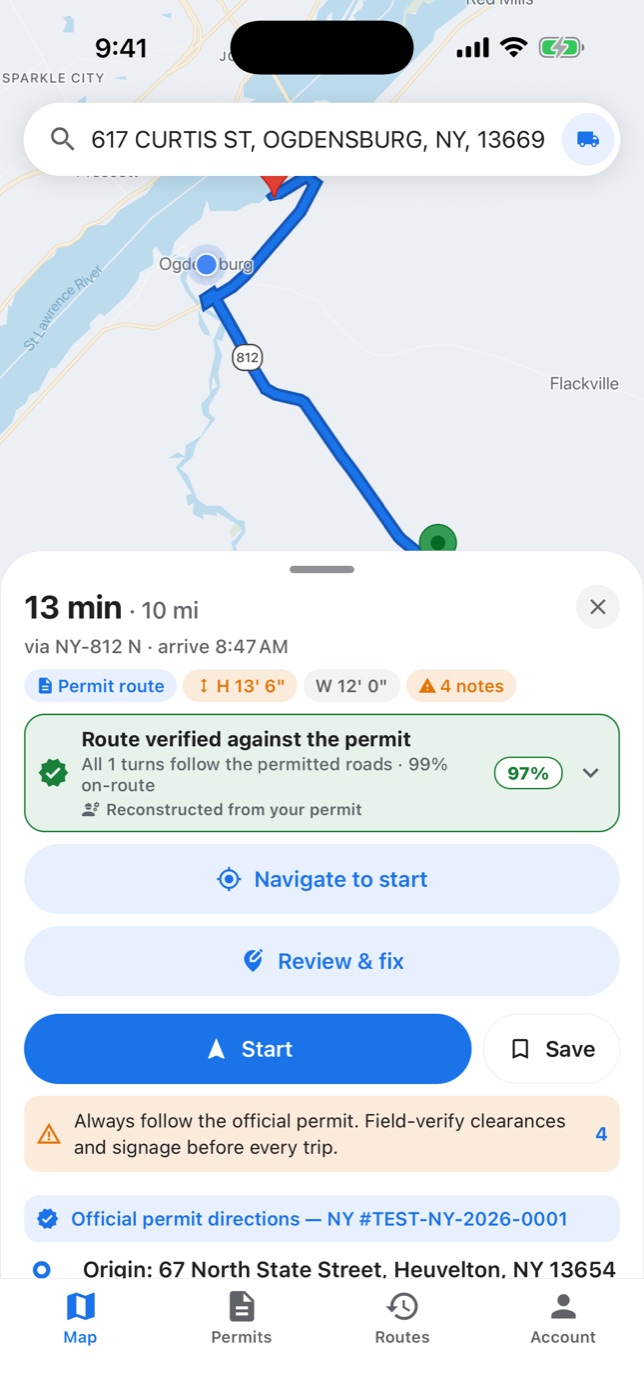
PermitNav reads the routing table, dimensions and conditions, then rebuilds the route road by road across the roads your permit names, in the order it lists them, and checks it against the permit.
The review screen shows the permit's width, height, length and gross weight, its dates, any movement-time restriction, and its special conditions, word for word.
Each permit route shows how far it's verified — Verified, Check N items or Approximate — and why, with every flagged spot on the map. Check each one against your permit before you drive.
-
Exit 3
Drive it
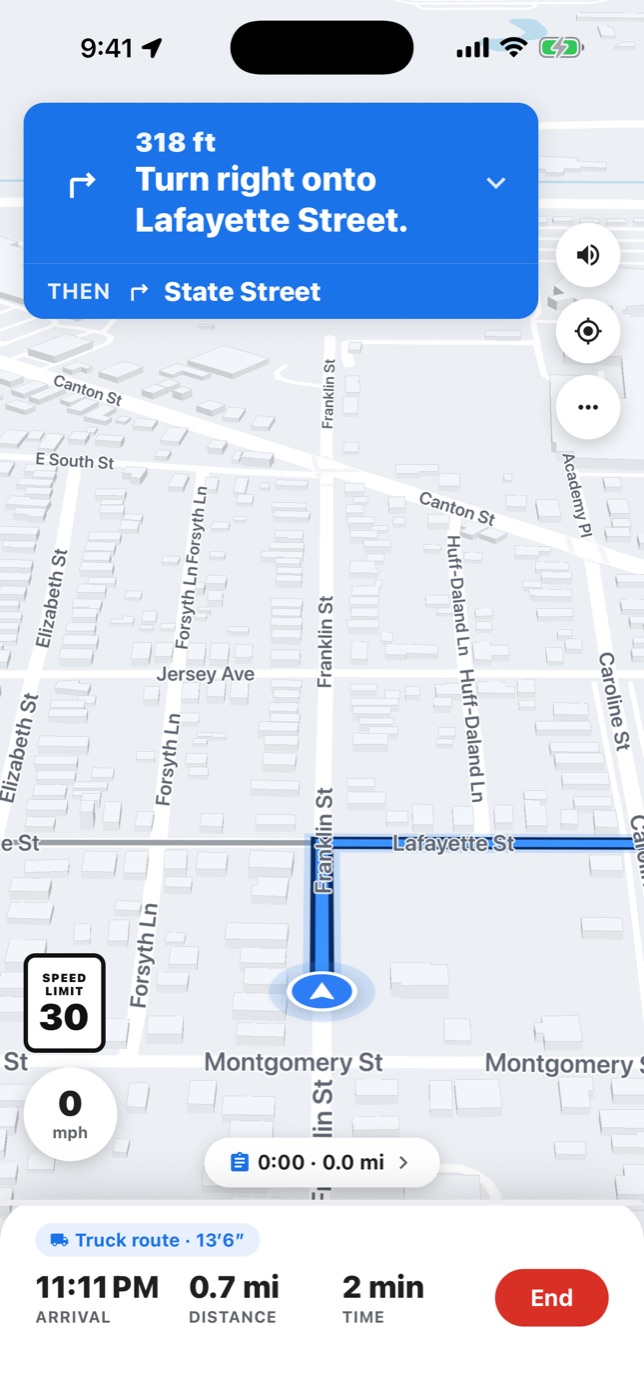
Start turn-by-turn navigation: clear voice and on-screen guidance on the permitted route. Off-route alerts within seconds, and “Guide me back” turn-by-turn to the permitted route (needs a connection).
Alerts ahead of posted bridges and low clearances on your permit route — about 2 miles and half a mile out — from the sources on the Features page. Your permit's travel windows are shown before you start and announced during the drive — before a window closes or the permit expires — and printed curfews are called out. Reminders only.
Guidance keeps running with the screen locked or the app in the background — your next turn on the Lock Screen (iPhone) or in an ongoing notification (Android). A drive parked 30 minutes in the background pauses until you open PermitNav. Turn-by-turn on the car screen with CarPlay or Android Auto; with CarPlay, Mute, Overview and zoom buttons, and your next turn on the CarPlay Dashboard.
One move, one route
Carrying permits for several states on one move? Chain them into a single end-to-end route across state lines.
Stop and check the permit
Confirm against your official permit and the issuing agency before proceeding. Report it in the app or email [email protected]: we review every credible report and act on it.
The permit governs
PermitNav is a driver aid, not a substitute for your permit. Always carry and follow your official, state-issued OSOW permit and posted signage, and field-verify clearances before every move. See our Safety Disclaimer.
Everything it does for an oversize move
See all featuresYour permit. Your route.
Turn-by-turn.
OSOW truck navigation for New York, Pennsylvania, Kentucky, Tennessee, Missouri, Texas, Maryland, Ohio, Indiana, Oklahoma and Illinois permits.